Posts

Showing posts with the label numbers

TMST: One Word 2019

Image
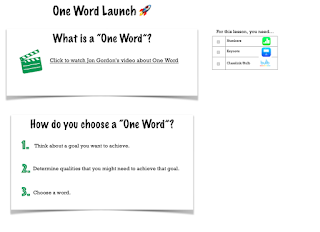
If you have read my blog awhile, you know that I'm not one for big, sweeping New Year's resolutions.  Instead, I go through a process to pick a word to strive toward for the year.  I originally wrote about One Word in 2016 and over the years it has become a tradition for me and many of the educators and learners with which I work.   What is One Word?  Learn more from Jon Gordon here . What will YOUR word be?  What words will your learners strive toward?   Because this is a valued tradition of mine, I built a quick Numbers workflow that can help lead your learners through a process for selecting their words.  Simply click the link below, download the file and airdrop a copy to your learners. One Word Numbers Template This year, my word chose me by way of my best friend, who basically told me what I needed to do.  The more I thought about the word, the more I could see that she was right. So this year, I'l...

Apple in Education, We Say Yes!

Image
I’m so excited to be blogging from the TCEA (Texas Computer Education Association) conference in Austin, Texas this week! My team and I will be presenting several different sessions and I am so excited to be co-presenting “Apple in Education, We Say Yes!” on Thursday at 1:30! My Awesome Co-Presenters! In our session, we will celebrate the use of Apple in our district and encourage others to see the amazing educational value of Keynote, Pages, Numbers and Everyone Can Code.  Even if you are #notattcea, I encourage you to learn with us for this week’s installment of #anappleaweek. Simply go to www.flipgrid.com/AppleEDUyes , select a learning topic and click on the attached resource to begin exploring.   Attending TCEA and interested in more learning from the Coppell DLCs? Check out all of our session offerings below! Follow #TCEA and #TCEA18 for more great learning opportunities!   Check out other posts from this series here.

Nerding out with Numbers

Image
In this week’s post, we focus on Numbers.  New to Numbers?   Think Excel or Google Sheets, but with whiteboard capabilities, easy to use charts and more. “ With Numbers, you can create beautiful spreadsheets that include impressive charts, tables, and images. And with real-time collaboration, your team can work together on a Mac, iPad, or iPhone — even on a PC using iWork for iCloud."  - Apple As I prepared to write this post, I had to laugh at myself.  If you would have told me 3 years ago that I would have become a champion of the Numbers program, I would have never believed you. I had so many misconceptions of what Numbers was that I didn’t even give it a chance when designing learning.  So in the spirit of someone who has seen the light, I will use this post as my confession. I used to think Numbers was for “data geeks” but now I know it is for “creativity geeks” too. Numbers doesn’t have to have gridlines visible in a sheet -...