Posts

Showing posts with the label anappleaweek

TMST: Everyone Can Create
Image
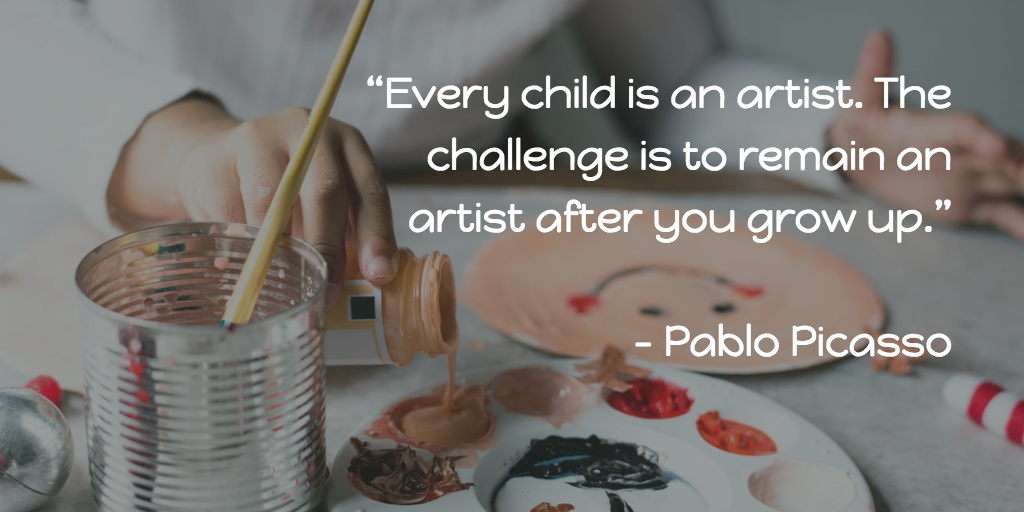
A core belief my team has about digital learning is that little kids can and will do amazing things when given the opportunity.  If we are being truly honest, this also applies to even the biggest kids...us.   During the Apple a Week series last year, we learned not just how easy and functional the programs like Keynote, Pages and Numbers can be but also how Apple’s Education resources can help us when designing quality learning. It’s about to get even better. Apple just rolled out a collection of multi-touch books as part of their Everyone Can Create curriculum .  These resources provide a scaffold for fostering digital creativity in the classroom for any age of learner. Want to help learners understand the basics of creating quality videos ? Wondering how photography and drawing can be best used to make thinking visible? Thinking about spicing up a lesson by having learners compose original music or find patterns? Let’s learn more about the Eve...

The Great iPad Challenge

Image
I once read that in order to grow, we must learn something new everyday by getting out of our "comfort zones". I think we sometimes make this too hard - like we have to make a big jump like changing a job or a grade level or a school placement.  But the truth is that little steps out of our comfort zones have the potential to provide just as big shifts in thinking.   We just have to be open and take the step. Last week, I challenged myself and my team to ditch our MacBooks for a couple of days.  It doesn't seem that big of a challenge...after all, educators in our district have been issued both Macs AND iPads in order to support learning design for our 1:1 iPad district.  But what I found was that much too often, I default to using just my MacBook.  My team felt the same.   Now, we all tend to have a preferred device and there is nothing wrong with that.  However, I wondered what kept us going back to our MacBooks and how our perspect...

Apple a Week Series Wrap Up

Image
When I started this blog series, my intent was to challenge myself to really explore how Apple can be used for deeper learning. I wanted to develop my answer to the question, “Why Apple?”  and encourage you to consider it as well. I hope it has opened your mind to some different ways that the Apple foundational programs can be used within your classroom. Though our series ends with this post, I challenge all of us to continue to share ideas in the comments, on our Flipgrid and via Twitter.  Learning, after all, isn’t ever “over” - it morphs and changes and shifts, but with an open mind, it never ceases. I owe a great deal of thanks to my teammates who co-wrote, linked up, brainstormed ideas and recorded Flipgrid videos. Could I have written all of the posts? Maybe. But there is such power in different perspectives and learning collaboratively.  I hope that my teammates have learned from me through this process as well. To my inspired educators...

Movin' and Groovin' With iMovie

Image
Open house was this week here in Coppell, Texas.  So many amazing things were shared and celebrated.  The best part is how proud our kids are when they get to show off what they have created.  What better week to talk about the selfie generation and their love of film? This week, get ready for your close up because it's time for... I loved working to help my teammate, Megan Kozar , pen our post about iMovie.  Her perspective is phenomenal.  If you don't subscribe to her site, The Lightning Lab, you totally should!  Let's link over to her blog, to learn more about the magic of iMovie for learning! Movin' and Groovin' with iMovie by Megan Kozar What awesome creations have you and your learners made using iMovie? What helps you when teaching learners how to film?  Share some examples and ideas in the comments! Check out other posts from this series here.

Gather a GarageBand

Image
Who’s ready to ROCK this week’s Apple a Week Blog? Growing up the baby of 6 kids was an experience.  Any given week, I was a spectator at multiple sporting events and band concerts.   One of the coolest parts of my childhood, though, happened right in our basement.  My brother’s “garageband” was named Zephyr and they practiced weekly - amps, microphones, instruments and all.  My 10 year old self knew all the words to “I Wanna Rock N Roll All Night” and our floors shook on a regular basis.   My brother’s passion for playing music was contagious and continues on now that he is an adult  (though the music choice is quite different than the heavy metal of Zephyr).  I often think to myself what he would have created if he had the tools of GarageBand at his fingertips during school.  This week, put your listening ears on...because its time for... GarageBand provides all the digital tools you need to compose and play original m...

Book Creator

Image
Hi friends! My recap post of my top learning moments from TCEA is coming soon...until then, here's this week's installment of the #appleaweek series! Once upon a time, a young 3rd grader proudly wrote a book for a Young Author’s competition.  The book, like all the others was displayed in the library for parents and families to read.  How special that girl felt to know she was an “author” and that her work was being read.   Imagine if that girl had access to publishing to the world...where would she be?  What would she have dreamed up?  Would her passion for writing extend to more than just this blog?   For this week’s Apple a Week, we take a look at Book Creator for Chrome, an online multi-touch book creation tool that is easy enough for our littlest of kids to create content.  It is one way our kids now can write for the world. Let’s take a look at Book Creator for Chrome in this 5 min vlog: With Book Creator for Chr...

Apple in Education, We Say Yes!

Image
I’m so excited to be blogging from the TCEA (Texas Computer Education Association) conference in Austin, Texas this week! My team and I will be presenting several different sessions and I am so excited to be co-presenting “Apple in Education, We Say Yes!” on Thursday at 1:30! My Awesome Co-Presenters! In our session, we will celebrate the use of Apple in our district and encourage others to see the amazing educational value of Keynote, Pages, Numbers and Everyone Can Code.  Even if you are #notattcea, I encourage you to learn with us for this week’s installment of #anappleaweek. Simply go to www.flipgrid.com/AppleEDUyes , select a learning topic and click on the attached resource to begin exploring.   Attending TCEA and interested in more learning from the Coppell DLCs? Check out all of our session offerings below! Follow #TCEA and #TCEA18 for more great learning opportunities!   Check out other posts from this series here.

Creating with Clips

Image
Have you ever followed someone on Twitter that you wished you got to work with in person?  That is exactly how I have always felt about Sam Neal . Earlier this year, I was overjoyed to learn she was joining our team.  Read this week's post and you'll see why I #fangirl her so much!  This week, we link up with Sam's blog t o learn all about how the ease of  Apple's Clips App  makes it possible for our learners to focus on their creativity and thinking.  Clips  is similar to iMovie or MovieMaker but simpler, with built in music, animated transitions and more.  In her post, Sam writes,  "...when you spend time using digital tools with digital natives, it doesn’t take long to see that they don’t really need you to show them which buttons to click - they can figure out a lot of that on their own. What they need is to be guided in reflecting on their thinking and learning processes, creating quality content, and sharing their ...

Nerding out with Numbers

Image
In this week’s post, we focus on Numbers.  New to Numbers?   Think Excel or Google Sheets, but with whiteboard capabilities, easy to use charts and more. “ With Numbers, you can create beautiful spreadsheets that include impressive charts, tables, and images. And with real-time collaboration, your team can work together on a Mac, iPad, or iPhone — even on a PC using iWork for iCloud."  - Apple As I prepared to write this post, I had to laugh at myself.  If you would have told me 3 years ago that I would have become a champion of the Numbers program, I would have never believed you. I had so many misconceptions of what Numbers was that I didn’t even give it a chance when designing learning.  So in the spirit of someone who has seen the light, I will use this post as my confession. I used to think Numbers was for “data geeks” but now I know it is for “creativity geeks” too. Numbers doesn’t have to have gridlines visible in a sheet -...

Perfect Pages

Image
Welcome back to the Apple A Week series!  This  week, we continue by linking up with my amazing teammate, Megan Kozar .  Megan is my kindred spirit - a former K and 1 educator, she too believes in and lives the mantra "little kids can". This week on her site, The Light Bulb Lab , she has posted all you need to design quality documents with Apple's easy to use program, Pages.   Megan writes, " Pages for the iPad or Mac can be used as more than just a word processor. The features in pages allow the software to become a digital scrapbooking tool that allows you to create beautiful products by easily moving and manipulating features on the page. " I wholeheartedly agree.  Click below to check out her post! An Apple A Week: Pages What ideas do you have for using Pages in the Classroom?  We are curating a list of ideas on Flipgrid right now - we'd love to hear your ideas! Share your ideas for using Pages in the Classroom here! ...

An Apple A Week Podcast

Image
Y'all. I work with THE best team around.  Seriously.  Not only are they fully supporting my crazy experiment of the Apple A Week Blog Series , but today, my teammate, Trisha Goins talked me into, coached me through and invited me to join in the world of podcasting by starting a series podcast.  I'm excited that the first episode is now live!   I'll admit...I have NO prior podcasting experience so I leaned on Trisha to lead me through.  Learning can be uncomfortable sometimes but she patiently eased my nerves and encouraged me.  I am SO grateful...and proud!  We are nerdy, but hope that this will help others learn in a new way! Check out the first episode below!

Keeping it Real with Keynote

Image
   This week, our Apple A Week series continues with an awesome post from guest writer, Brian Timm .  Brian is a Digital Learning Coach in Coppell ISD and is an Apple Distinguished Educator.   Let's learn from him as he highlights some Keynote tips and tricks.   New to Keynote?  Check out Apple's user guide for iPad and for Mac . Keynote is Apple’s software for creating (potentially) beautiful presentations. I say potentially because you can take any presentation software and use it for evil deeds that’ll make you say, “What. The. Font”?  When building a keynote presentation, here are some quick wins, best practices, and creative uses that we have found helpful.   Quick Win: Resizing Objects Efficiently When resizing objects in Keynote for Mac, I used to drag from the corner, then have to move the object back to it’s original location. To keep the object in the same position and resize, simply hold down the “option” but...